Time
Bulk actions on time
ProofHub allows you to perform bulk actions on your time entries, like changing their status, deleting them, or exporting them for further analysis.
-
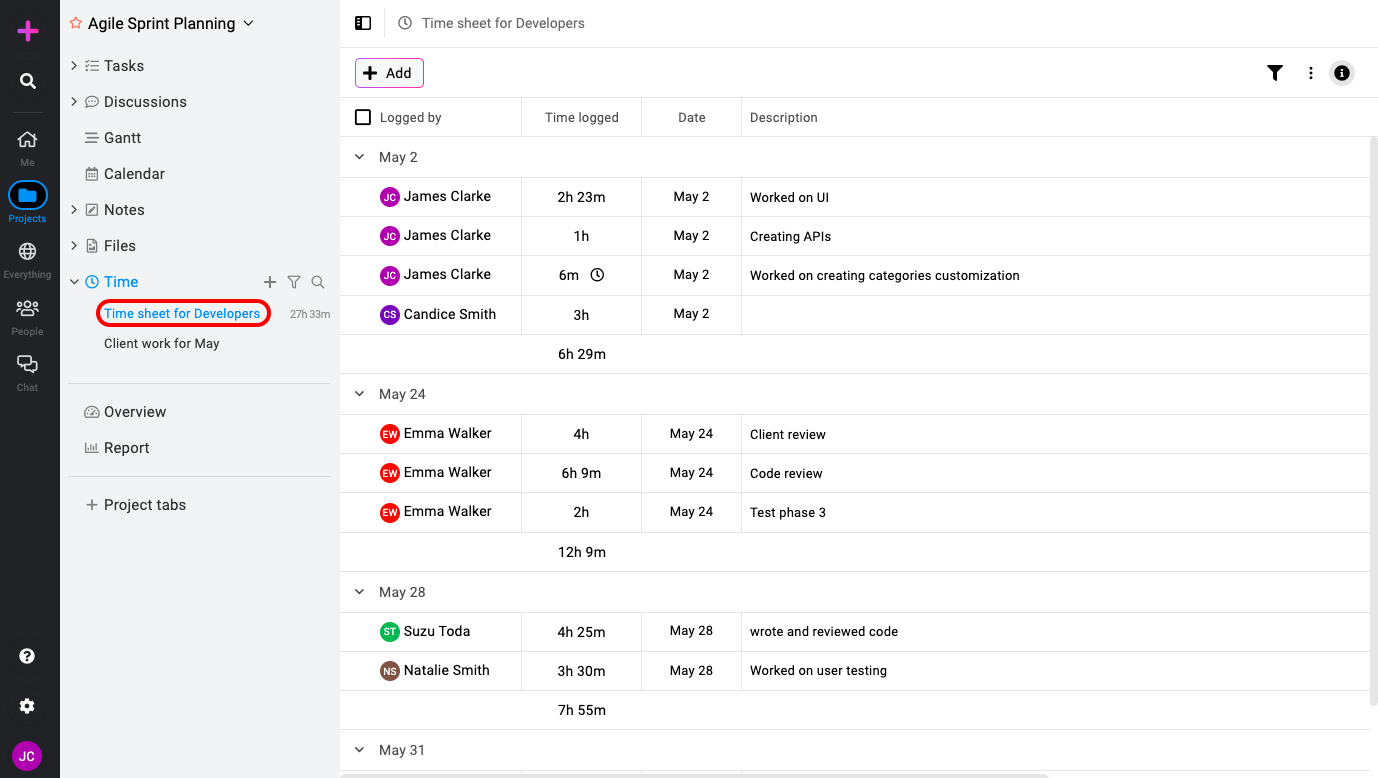
On the left-side menu, locate and select the specific timesheet you want to work with.
-
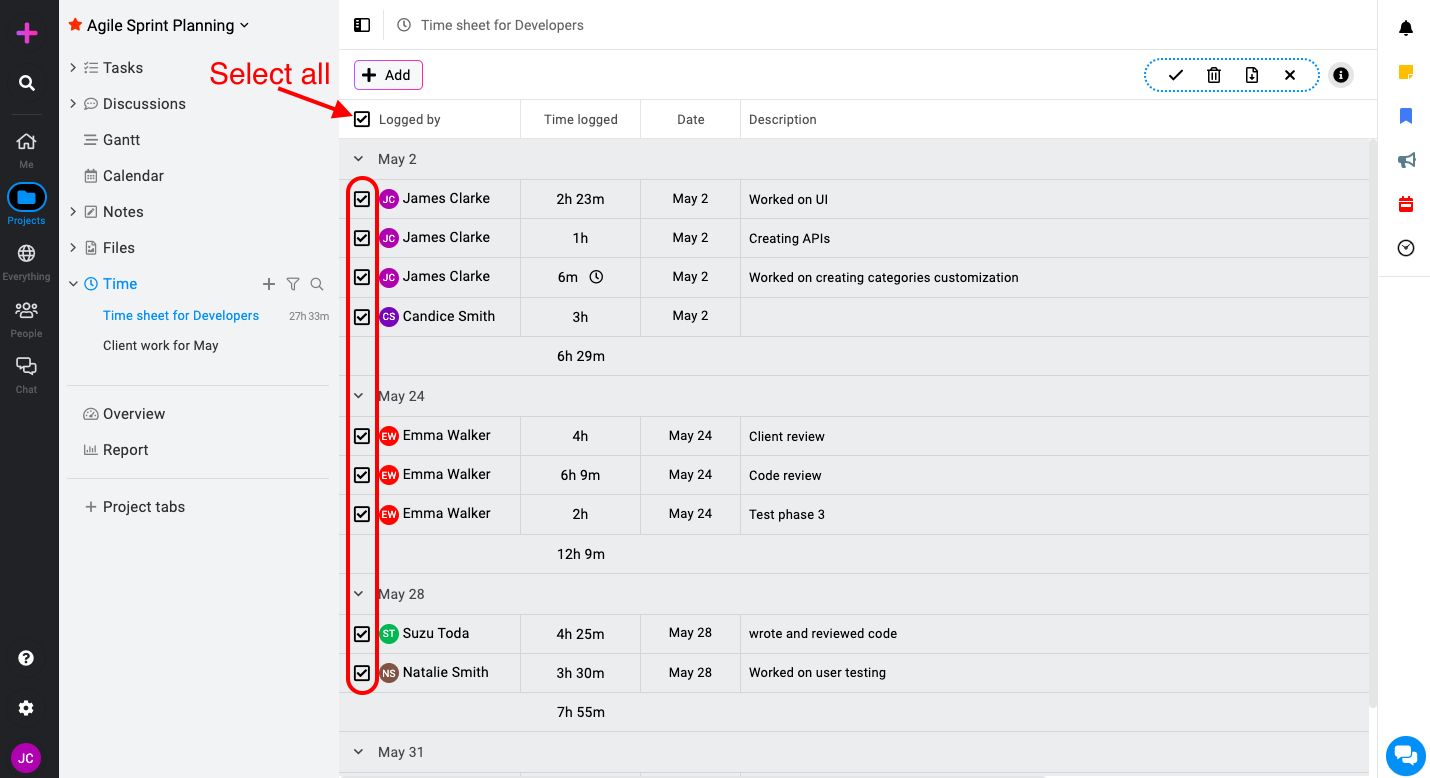
Identify and select time entries: Hover your cursor over individual time entries. This will reveal checkboxes next to each entry. Mark the checkboxes to indicate the time entries you wish to apply a bulk action to. You can select individual entries or all entries simultaneously by ticking the “Select all” checkbox located at the top.
-
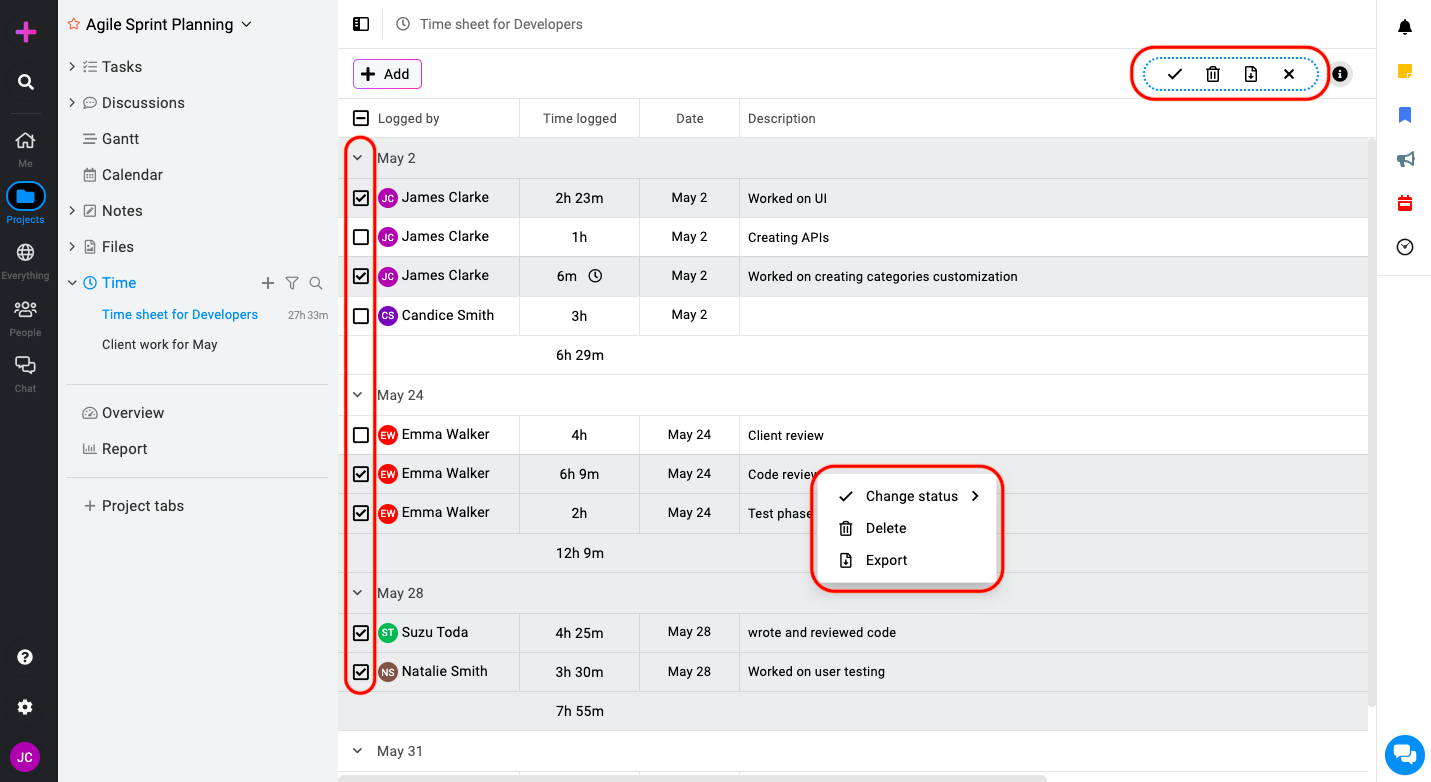
Manage entries in bulk: After selecting your desired entries you can right-click on any time entry or use the bulk actions menu. This will display a menu with several options.
-
Change status: Modify the status of your selected time entries (e.g., mark them as void or billable).
-
Delete: Remove the chosen time entries.
-
Export: Export the selected time entries to Freshbooks/Quickbooks.
-
**Note: **ProofHub keeps items in the “Trash” for 15 days. Restore them easily by going to Trash. For detailed instructions on restoring deleted items from the trash, please refer to Trash.